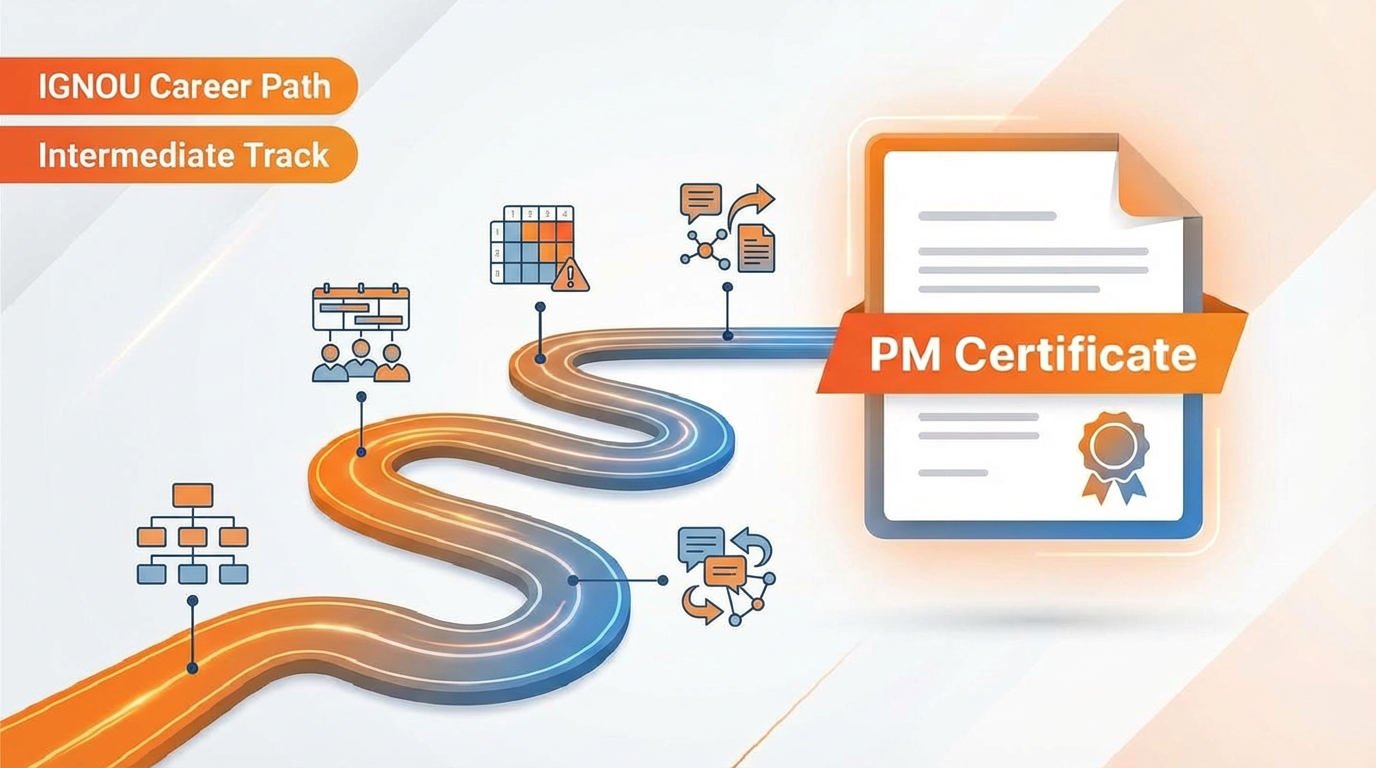
The simplest path that works for most people
The simplest path that works for most intermediate learners
-
Confirm your baseline
Reuse your Beginner Proof Pack and ensure it is consistent: charter, stakeholders/RACI, schedule, RAID, at least 2 status updates, and 1 case study.
-
Build an integrated planning baseline (Plan Pack v1.0)
Create a baseline you can track weekly: scope boundaries, WBS/backlog, milestones + dependencies, RAID starter, comms cadence, and core assumptions.
-
Choose one deepening path (do not do both)
Pick UCI specialization for planning depth or PRINCE2 Foundation for governance method language and controls.
-
Master one tool workspace (reporting, not just basics)
Implement stakeholder-ready views and a weekly reporting workflow in Jira or MS Project or Smartsheet (plus Excel/Sheets for trackers).
-
Run a real 4–8 week execution cycle and publish an intermediate case study
Follow a weekly cadence: update schedule → update RAID → send status → log decisions → track change requests → summarize variance and outcomes.
Project Management Career Path (Intermediate) — Track 2
This track upgrades you from “I can plan” to “I can run delivery with control.” You will build an integrated baseline (scope, schedule, RAID, comms, assumptions), run a real 4–8 week execution cadence with change control and decision trail, and produce stakeholder-ready reporting in one tool (Jira or MS Project/Smartsheet). Choose one deepening path: UCI (planning depth) or PRINCE2 Foundation (governance language).
Fast facts
- Level: Intermediate (complete Beginner Track first)
- Time: Fast 8–10 weeks • Standard 12–16 weeks • Busy 3–5 months
- Weekly effort: 4–12 hrs/week (depends on pace)
- Core output: Integrated Plan Pack + Execution + Control Pack + intermediate case study
- Tools: Choose ONE: Jira or MS Project/Smartsheet + Excel/Sheets
- Target roles: Project Coordinator (stronger), PMO Analyst, Junior Project Manager
Jump to
Who this is for
- IGNOU learners who completed the Beginner Track and want to move from “portfolio basics” to “delivery control.”
- Entry-level PM/PMO candidates who need stronger planning realism, reporting discipline, and change control proof.
- Working professionals doing coordination who want to transition into Project Coordinator → PMO Analyst → Junior Project Manager pathways.
- Tool-focused learners who want a real reporting workspace (dashboard + cadence) instead of only templates.
Time required (realistic estimates)
- Fast track: 8–10 weeks (10–12 hrs/week) — build Plan Pack + tool reporting + 4-week execution cycle + case study.
- Standard pace: 12–16 weeks (6–10 hrs/week) — best balance for most learners.
- Busy schedule: 3–5 months (4–6 hrs/week) — steady progress without burnout.
Optional add-ons (only if you choose them)
- PRINCE2 Foundation: +2–4 weeks (if you choose the governance path)
- CAPM (if you want an early credential): +4–8 weeks
- Second tool (not recommended): +2–4 weeks
Outcomes (what you can do after this track)
- Produce an Integrated Plan Pack (scope baseline, schedule baseline, RAID, comms cadence, assumptions + estimates).
- Run weekly delivery control with a consistent cadence (status reporting + updated plan + RAID updates).
- Document and manage change requests with basic impact notes (scope/time/cost) and decisions.
- Maintain a decision trail (decision log + action tracking) that shows governance discipline.
- Create stakeholder-ready dashboards and reporting inside one tool ecosystem.
- Publish an Intermediate Case Study that highlights trade-offs, constraints, changes, and delivery outcomes.
- Position confidently for Project Coordinator, PMO Analyst, and Junior Project Manager pathways.
Prerequisites
- Complete the Beginner Track first: you should already have a PM Proof Pack + 1 featured case study.
- Comfort with basics: charter, stakeholders/RACI, schedule, RAID, and status updates.
- Laptop/PC + stable internet for tools and reporting practice.
- Willingness to run a real cycle: 4–8 weeks of consistent weekly delivery cadence.
Tools you’ll use
- Spreadsheets: Excel/Sheets (trackers, RAID tables, variance snapshots).
- Docs: Docs/Word (status templates, decision log, change requests).
- Project tool (choose one): Jira or MS Project or Smartsheet (dashboards + reporting cadence).
- Portfolio home: one link hub (Notion/Drive/webpage) to keep everything accessible.
Roadmap
Intermediate Project Management Roadmap (Execution + Control)
Step 1: Confirm your baseline (required)
This track assumes you already completed the Beginner foundation and can produce baseline PM artifacts—not just course completion.
- If you don’t have Beginner proof yet: Complete the Beginner Track first
- Must-have proof: a PM Proof Pack (charter + stakeholder/RACI + schedule + RAID/risk log + status reporting + agile backlog).
- Readiness check: you can explain scope, schedule, risk, stakeholders, and reporting in one coherent story.
- Select one project scenario: a real project if available, or a realistic simulation with constraints, stakeholders, and success criteria.
Deliverable: a “Baseline Entry Pack” (1-page self-assessment + chosen project scenario + success criteria).
Step 2: Integrated planning baseline (build your Plan Pack v1.0)
Create a realistic baseline you can track weekly. This is your control foundation for intermediate-level delivery proof.
- Scope: WBS or structured backlog + acceptance boundaries
- Schedule: milestones + baseline dates + dependencies
- Stakeholders: map + RACI + comms audiences
- Risk: RAID starter + mitigation approach
- Estimates: effort/cost snapshot + assumptions
Optional guided learning (listed below): Project Management Principles and Practices (UCI – Coursera)
Recommended Courses: See intermediate course options
Deliverable: an “Integrated Plan Pack” (baseline v1.0 you can defend in interviews).
Step 3: Execution discipline + governance basics (run control weekly)
Operate like a PM: consistent reporting cadence, visible follow-through, and documented decisions and trade-offs.
- Weekly status reporting: progress, blockers, next steps, decisions/asks
- RAID rhythm: new risks/issues, aging items, mitigation updates
- Change control: change log (request → impact → decision → implementation)
- Decision discipline: decision log (who decided, why, when, consequence)
- Variance story: baseline vs actual summary (what changed + why + what you learned)
Governance method option (authority):
-
PRINCE2® Foundation (PeopleCert):
Official certification details
Choose this if your target employers value governance-heavy delivery and formal controls. - Optional structured prep (listed below): PRINCE2® Foundation – Exam Preparation (Udemy)
Deliverable: an “Execution + Control Pack” (4–6 weekly updates + RAID history + change log + decision log + variance summary).
Step 4: Tool track (choose ONE and build a reporting workspace)
Choose one tool ecosystem and implement your plan + weekly control system inside it (boards/plans + dashboards + stakeholder-ready outputs).
-
Option A (Agile/tech teams): Jira
- Authority learning path: Jira Essentials with Agile Mindset (Atlassian University)
-
Option B (Corporate/ops scheduling): Microsoft Project
- Authority training: Project training (Microsoft Support)
- Optional guided start (listed below): Microsoft Project for Beginners: Create Simple Project Plans (Coursera Project)
-
Option C (Cross-functional ops): Smartsheet
- Authority learning: Smartsheet University
- Optional guided start (listed below): Smartsheet Tutorial for Beginners (Coursera)
Deliverable: one “Stakeholder Reporting Workspace” (tool-based plan + weekly outputs + dashboard/report view).
Step 5: Intermediate portfolio proof (case study + optional credential)
Your portfolio at this level must show control and outcomes (not templates). Package one complete case study with a clear narrative and evidence trail.
- Case study structure: problem → constraints → baseline plan → execution cadence → changes/decisions → results → lessons learned
- Evidence to include: Plan Pack highlights, 4–6 status updates, RAID history, change log, decision log, variance summary
- Resume conversion: 3–5 quantified bullets derived from the work
Optional credential (authority):
-
CAPM (PMI):
Certified Associate in Project Management (CAPM)
Use CAPM if you want a formal baseline credential before Advanced. If you’re already experience-qualified for PMP, you can skip CAPM. - Optional prep (listed below): PMI – CAPM Exam Prep (Udemy)
Deliverable: an “Intermediate Delivery Evidence Pack” (1 complete measurable case study + artifacts) ready for PM interviews.
Portfolio (Intermediate Delivery Evidence Pack)
At intermediate level, your portfolio must show control: baselines, changes, decisions, and reporting history.
1) Integrated Plan Pack (baseline v1.0)
- Scope baseline + WBS/backlog (deliverables + boundaries)
- Schedule baseline (milestones + dependencies)
- RAID log (owners + next actions)
- Comms cadence (who gets what, when, and format)
- Assumptions + estimates snapshot (effort/cost logic)
- Optional: lightweight budget tracker (if applicable)
2) Execution + Control Pack (4–8 weeks)
- 4–6 dated weekly status updates (consistent format)
- Decision log + action tracker
- Change log with at least 2 change requests (impact notes)
- 1 variance summary (baseline vs actual: what changed + why + what you did)
- RAID history showing updates over time
3) Intermediate Case Study (1–2 pages)
- Problem → constraints → baseline plan → execution cadence → changes/decisions → results
- Trade-offs and stakeholder management examples
- Links to evidence: plan pack, logs, status history, tool reporting view
- 3–5 lessons learned + next improvements
Portfolio Rubric (Intermediate Quick Check)
Use this checklist to confirm your Plan Pack + Execution + Control Pack + Case Study are truly “intermediate-ready.”
1) Integrated Plan Pack
- Scope baseline exists: in-scope vs out-of-scope is clear.
- WBS/backlog is workable: tasks can be scheduled and tracked.
- Schedule baseline exists: milestones and dependencies are visible.
- RAID is actionable: each item has an owner + next action + status date.
- Comms cadence exists: who gets what update, how often, and format.
- Assumptions/estimates exist: the plan has basic estimation logic.
2) Execution + Control Pack (4–8 weeks)
- Status history exists: 4–6 dated weekly updates (consistent template).
- Decision trail exists: decisions logged with date + rationale.
- Action tracking exists: actions have owners + due dates + status.
- Change control exists: at least 2 changes with impact notes (scope/time/cost).
- Variance summary exists: one snapshot explaining what changed + why + what you did.
- RAID evolved over time: items show updates across weeks.
3) Intermediate Case Study (1–2 pages)
- Shows control: trade-offs and constraints are explicit.
- Explains change: at least one change event + decision + impact.
- Links to evidence: plan pack + logs + tool reporting view.
- Ends with learning: 3–5 lessons learned + improvements.
Final “Interview Ready” test
- You can explain the project in 90 seconds (goal, plan, changes, result).
- You can explain one stakeholder conflict and how you handled it.
- You can explain one top risk and mitigation.
- Everything is in one folder/page with consistent naming.
Proof-of-work templates
Intermediate proof is delivery control: baselines, reporting history, decisions, and change control. Fill the inputs, then copy the output.
Resume bullet builder (Delivery control + measurable outcome)
Fill these inputs:
- Project: [initiative + domain]
- Baseline: scope + schedule (and optional cost/effort snapshot)
- Control cadence: weekly status + RAID updates + variance tracking
- Controls used: change log + decision log + action tracking
- Outcome metric: [on-time milestone / variance reduced / cycle time improved / stakeholder satisfaction] by [X]
Copy/paste output:
Built and defended scope + schedule baselines for [project], ran weekly delivery control (status cadence, RAID, variance), and maintained change/decision logs to align stakeholders; managed [#] change requests with documented impacts and achieved [outcome metric] (e.g., protected milestone [name] within [+/- X days] / improved predictability by [X%]).See a real example
Built and defended scope + schedule baselines for a customer onboarding process project, ran weekly delivery control (status cadence, RAID, variance), and maintained change/decision logs; managed 3 change requests with documented schedule impact and protected launch within +2 days of baseline while improving milestone predictability.
Stakeholder status update (weekly, baseline-linked)
Rule: Update plan + RAID first, then write status. If it doesn’t match the baseline, it reads as lack of control.
Copy/paste output:
Week of: [date] | Overall: [Green/Amber/Red]
Baseline vs Actual: [milestone/name] baseline [date] → forecast [date] (Δ: [+/- X days])
Progress (done):
- [bullet 1]
- [bullet 2]
Next (planned):
- [bullet 1]
- [bullet 2]
Top RAID: [risk/issue] (owner: [name]) → next action: [action] by [date]
Decisions/Asks (by date): [decision/ask] by [who] by [date]
Change log (new/updated): [CR-01] [submitted/approved/rejected] | net impact: [scope/time/cost]
Forecast: next milestone [name] on [date] | confidence: [High/Med/Low]
See a real example
Overall: Amber. Baseline vs Actual: Vendor sign-off baseline Dec 12 → forecast Dec 16 (Δ +4 days). Decision/Ask: approve alternate vendor by Friday. Change: CR-02 approved (+5 days) due to added compliance review.
Variance story (baseline vs actual + recovery action)
Use when: something slipped, changed, or was re-baselined. This is a core “intermediate” hiring signal.
Copy/paste output:
Variance snapshot: [milestone/deliverable]
Baseline: [date] | Current forecast: [date] | Variance: [+/- X days/weeks]
Cause (what changed): [dependency / scope add / resource constraint / vendor delay]
Impact: [scope/time/cost] (who is affected: [stakeholders])
Action taken: [re-sequence / add resource / remove scope / expedite / escalation]
Decision (if needed): [decision] by [name] by [date]
Result/next check: [expected recovery effect] | Review on: [date]
See a real example
Baseline: Dec 12 → Forecast: Dec 19 (Δ +1 week). Cause: added compliance review. Action: re-sequenced training + documentation while compliance runs; escalated approval SLA. Decision: approve alternate reviewer by Dec 15. Next check: Dec 16.
Change request (impact-first, decision-ready)
Fill these inputs:
- Change: [what is changing]
- Reason: [why now]
- Impact: scope / time / cost/resources
- Options: A vs B with trade-off
Copy/paste output:
Change ID: [CR-01] | Date: [date] | Owner: [name]
Requested change: [what is changing]
Reason: [why]
Impact:
- Scope: [in/out changes]
- Schedule: [+X days/weeks] (milestones affected: [A/B])
- Cost/resources: [impact or “no change” + assumption]
Options:
A) [option + impact]
B) [option + impact]
Decision: [approved/rejected/deferred] by [name] | Conditions/notes: [conditions]
See a real example
CR-03: Add a second approval step. Schedule: +1 week. Options: A) add approver now (+cost); B) re-sequence tasks to protect launch date. Decision: approved with re-sequencing and fixed SLA.
Recommended Courses (Optional, Guided Learning)
Use these only if you want guided structure. The Intermediate Roadmap is evidence-led (execution cadence, change control, stakeholder reporting, and a measurable case study). Advanced credentials (PMP/PRINCE2 Practitioner/SAFe/LPM/PSM II/PgMP/RMP) belong on the Advanced track page.
Planning depth (supports your Integrated Plan Pack)
Project Management Principles and Practices (UCI – Coursera)
Best-fit planning deepening for intermediate learners. Strengthens scope/WBS thinking, estimation and budgeting logic, risk planning, and artifacts that directly improve your Integrated Plan Pack.
Governance option (improves change control + reporting discipline)
PRINCE2® Foundation (PeopleCert)
Choose this if your target employers value governance-heavy delivery. Useful for stage thinking, controls, change control, and stakeholder reporting discipline—without pushing you into Advanced-level credential branching.
PRINCE2® Foundation – Exam Preparation (Udemy)
Optional training if you want a structured prep format. Best used alongside the official PeopleCert PRINCE2 Foundation pathway.
Tool track (choose ONE and build your reporting workspace)
Jira Essentials with Agile Mindset (Atlassian University)
Best official path to operationalize your cadence: boards, epics, dashboards, and stakeholder-ready reporting for agile delivery.
Microsoft Project for Beginners: Create Simple Project Plans (Coursera Project)
Fast onboarding to build a usable baseline plan (milestones, dependencies, tracking). Use this to produce baseline vs actual updates and a clean variance narrative inside your Intermediate evidence pack.
Smartsheet Tutorial for Beginners (Coursera)
Tool onboarding to build a real workspace (structure, collaboration basics). Use it to stand up your plan, weekly updates, and a simple stakeholder reporting rhythm before you pursue advanced dashboards/automation in the Advanced track.
Optional credential (only if you want a formal baseline before Advanced)
PMI – CAPM Exam Prep (Udemy)
Use CAPM if you want a recognized credential before the Advanced track. Best taken after you’ve built your Integrated Plan Pack and completed a delivery cycle (weekly reporting + change/decision logs). If you’re already experience-qualified for PMP, skip CAPM and proceed to Advanced.
Common Intermediate Mistakes (and how to avoid them)
1) Taking more courses instead of improving delivery control
Fix: your upgrade is evidence: baselines, reporting history, decision trail, and change control. Add learning only if it improves those outputs.
2) No baselines (so you can’t prove variance control)
Fix: set a scope baseline and schedule baseline before execution, then track what changed and why.
3) Status updates that don’t match the plan
Fix: update the schedule and RAID first, then write the status. If the status contradicts the plan, it reads as lack of control.
4) Change requests with no impact analysis
Fix: every change needs a short impact note: scope, time, cost (even if cost is “no change”).
5) RAID log exists but is not actionable
Fix: each RAID item must have an owner, a next action, and a status date.
6) Over-documenting governance
Fix: keep governance lightweight: decision log, change log, action tracker, and weekly cadence. Clarity beats volume.
7) Tool usage without stakeholder-ready reporting
Fix: tool proof is a dashboard + cadence: board/plan, baseline/variance visibility, and a weekly report view.
8) Doing UCI + PRINCE2 + CAPM together (slow and redundant)
Fix: choose one deepening path. Add an exam path only if it matches your target market and timeline.
9) A case study that lists artifacts but doesn’t tell the control story
Fix: write the delivery story: what changed, what you decided, how you communicated, and what outcome you achieved.
10) Not practicing intermediate interview stories
Fix: prepare stories for scope change, risk issue, dependency delay, stakeholder conflict, and variance recovery action.
Why Students Choose This Career Path (Intermediate Track)
1) It upgrades you from “planning” to “delivery control”
Track 2 focuses on hiring signals that separate beginners from intermediate candidates: baselines, reporting history, change control, decision logs, and stakeholder governance.
2) It produces a realistic Integrated Plan Pack
You build one coherent baseline pack: scope boundaries, schedule baseline, RAID log, comms cadence, assumptions/estimates, and change control basics.
3) It forces real execution discipline (4–8 weeks, not theory)
This track requires a real execution cycle with a weekly cadence: update the plan → update RAID → send status → log decisions → document changes → summarize variance.
4) Tool mastery is practical (dashboards + stakeholder-ready reporting)
You choose one tool track (Jira, MS Project, or Smartsheet) and build reporting views that look like real delivery teams: dashboards, baseline/variance visibility, and a repeatable weekly workflow.
5) You choose one deepening path without wasting time
Pick planning depth (UCI) or governance language (PRINCE2 Foundation). You do not need both to level up, and avoiding course stacking keeps the timeline realistic.
6) It improves job outcomes for real roles
Intermediate roles reward consistency and control. This track aligns well with Project Coordinator, PMO Analyst, and Junior Project Manager expectations.
7) It builds better interview stories
You leave Track 2 with real stories: what changed, why it changed, how you communicated it, and what decision you made under constraints.
FAQs (Project Management Career Path — Intermediate Track)
1) Do I need to finish the Beginner Track before Track 2?
Yes. Track 2 assumes you already have the Beginner PM Proof Pack (charter, stakeholders/RACI, schedule, RAID, and status updates) plus one featured case study.
2) What is the main difference between Beginner vs Intermediate?
Beginner proves you can create core PM artifacts. Intermediate proves you can run delivery with control: baselines, reporting history, decision trail, and change control over 4–8 weeks.
3) Should I choose UCI (planning depth) or PRINCE2 Foundation (governance method)?
Choose UCI if you want stronger planning depth (scope/WBS, scheduling, budgeting, risk and procurement concepts). Choose PRINCE2 Foundation if your target employers value governance language (controls, roles, tolerances, and structured reporting). Pick one path—most learners do not need both.
4) Do I need CAPM at the intermediate level?
Not required. CAPM can help if you want an early formal credential, but many learners get interviews using strong portfolio evidence. If you pursue CAPM, do it after you’ve built a clean Integrated Plan Pack.
5) Which tool should I learn for Track 2: Jira, MS Project, or Smartsheet?
Pick one based on target jobs. Jira fits agile/tech teams. MS Project fits schedule-heavy corporate/ops environments. Smartsheet fits cross-functional operations teams needing dashboards and lightweight automation. Track 2 is about stakeholder-ready reporting, not collecting tools.
6) What exactly is the Integrated Plan Pack?
It is your baseline planning bundle: scope boundaries + WBS/backlog + schedule baseline + RAID + comms cadence + assumptions/estimates (and optionally a lightweight budget tracker).
7) What is the Execution + Control Pack and how long should it run?
The Execution + Control Pack is your delivery history across a real cycle: 4–6 weekly status updates, RAID history, decision log, change log (at least 2 changes), and one variance summary. A realistic cycle is 4–8 weeks.
8) What roles does this track prepare me for?
This track strengthens applications for Project Coordinator, PMO Analyst, and Junior Project Manager pathways because it demonstrates delivery control, reporting cadence, and change management.
Related learning paths
Next steps
Block your first 30-minute session this week and complete the Start Week 1 milestone.
Start Week 1